 File browser and GDS Inset/Box composer
File browser and GDS Inset/Box composer
File browser and GDS Inset/Box composer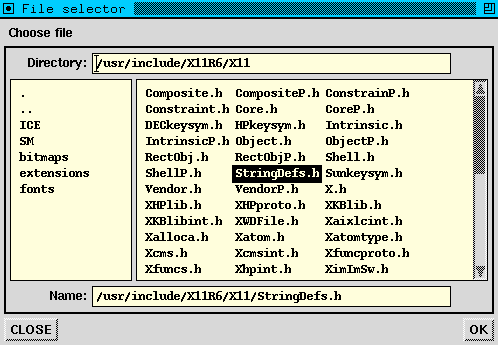 it in the directory panel to the left or by typing the name in the directory
input field. It is possible for the program to specify a filter
for selecting and transforming file names. A file browser can be closed
by the user by pressing the ``CLOSE''-button, but it can also be closed
by the program. For more information, see the document
GgiFileBrowser.dc2
it in the directory panel to the left or by typing the name in the directory
input field. It is possible for the program to specify a filter
for selecting and transforming file names. A file browser can be closed
by the user by pressing the ``CLOSE''-button, but it can also be closed
by the program. For more information, see the document
GgiFileBrowser.dc2
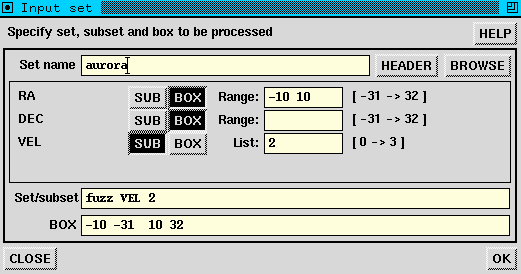 As soon as a valid set name has been entered, the composer creates a number
of rows, one per axis, containing the name of the axis, its extent in grid
units, two buttons and an input field. The buttons can be used to specify
whether the axis is a subset axis or to be used for the box. The input
field can be used, dependent on the choice made with the buttons, to
specify the box extent or one or more subsets. The usual defaults apply.
When the user presses the ``OK''-button, the information present in the
set/subset and box text fields are written to the keywords specified when the
composer was created. Please note that the user is free to modify these
fields before pressing the button.
As soon as a valid set name has been entered, the composer creates a number
of rows, one per axis, containing the name of the axis, its extent in grid
units, two buttons and an input field. The buttons can be used to specify
whether the axis is a subset axis or to be used for the box. The input
field can be used, dependent on the choice made with the buttons, to
specify the box extent or one or more subsets. The usual defaults apply.
When the user presses the ``OK''-button, the information present in the
set/subset and box text fields are written to the keywords specified when the
composer was created. Please note that the user is free to modify these
fields before pressing the button.


|
Maintained by J. P. Terlouw |